





















































































Menu
Menu
Your Cart
We use cookies and other similar technologies to improve your browsing experience and the functionality of our site. Privacy Policy.

Up to 18% extra discount on selected products with coupon DFRIEND

Notetracks 1 YR - Notetracks Pro

Notetracks 1 YR - Notetracks Pro
149.00€

Collaborate on audio and video projects with ease and get feedback directly on your tracks

Whether you’re a podcaster, musician, or video producer, your team can now create in the key of awesome.

To get started, simply drag-and-drop your audio or video files (MP3, WAV, M4A, MP4, MOV) from your desktop into the browser or upload via Dropbox or Google Drive.

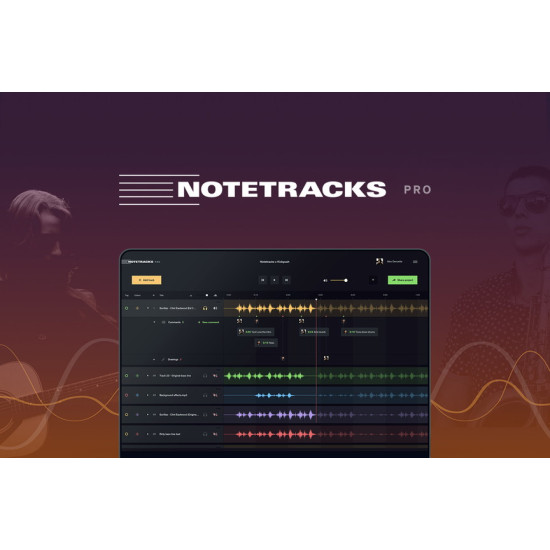
Once you import the track, you’ll be able to see the audio waveform visually and jump to specific segments quickly with a simple keyboard shortcut.

And then it’s time to take notes on the tracks!

While the track plays, insert time-stamped comments directly on the track without interrupting the playback. (Too much bass here, John—save it for your SoundCloud.)

Use the freehand draw tool to get creative with your notes, changing the color of symbols and moving things around.

All notes, comments, and conversations will be placed along the horizontal audio waveform, in sync with the playback to keep notes clear, precise, organized… and fun to look at. (?Let’s get visual, visual… ?)

But if you ever miss the feeling of time-coded notes in a document, Notetracks Pro lets you download a PDF or text file with a report that includes all the comments.

Notetracks Pro makes it easy to collaborate and get feedback or approval before releasing your tracks into the world.

Share your project by entering the email addresses of your collaborators and setting view or edit permissions.

Your collaborators can then log in, make their own notes, and reply to your comments while uploading their own files for reference.

Comments and notes will appear in real time (like Google Docs, but for audio or video).

Write a review

Please login or register to review